Music Settings
Default Battle Themes
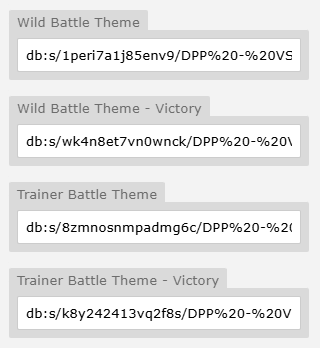
To set the default battle music for your region:
-
Go to the Region tab in Mapbuilder.
-
Enter your desired track in the relevant battle music input fields.
Setting Music Per Map
If you want a specific map to use a different track:
-
Open the map in Mapbuilder.
-
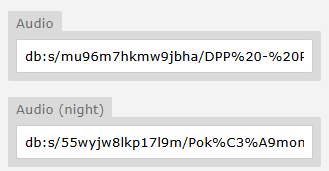
Navigate to the Settings tab.
-
Scroll down and enter your music file into the Music input field.
Night Time Ambience
You can optionally set a night version of your track. Most places don’t use this, but it can help add atmosphere in key areas.
Continued Sound Track
For interiors within a town (e.g. houses), you should usually use the same music as the town itself - unless it’s a unique location.
Kyledove's Tip
When multiple maps share the same music track, the engine will seamlessly continue the song as the player moves between them - no restart! Super clean.
Global Audio Fadeout
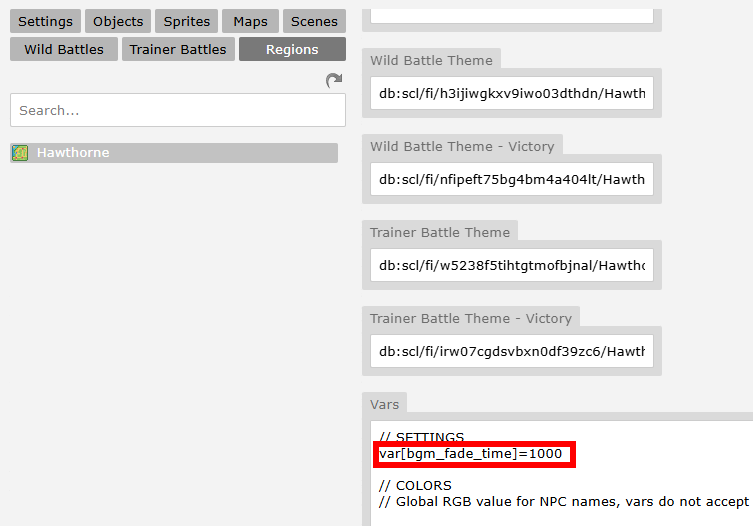
Normally, when a new map loads, it will immediately stop the old audio and begin playing the new audio at full volume. To instead have the old track fade out and the new track replace it, set var[bgm_fade_time] to a fading time in ms:
Triggering Music via jCoad
Please see the following example from Sinnoh Region:
%random%=npc(01k86ru4,down)if !beaten
%random%.spot(6)&track=db:s/brm2ibkabxai4t5/Look%21%20Shorts%20Boy.mp3
%random%.msg(You're a Pokemon Trainer, and so am I!|Our eyes met, so battle we must!)|&battle=613;
else
%random%.msg(Don't be shy about talking to Trainers you'd like to battle.|Pokemon grow stronger and stronger from battling.)
You can use this as a separate trigger anywhere - not just when a trainer spots the player. For example, it’s useful during cutscenes if you want to change the music after a specific event occurs.
&track=db:s/brm2ibkabxai4t5/Look%21%20Shorts%20Boy.mp3
See also the &track= trigger.
Setting a Song for Specific Trainer Battles
-
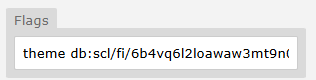
Set it directly in the Trainer Battle Data Context Menu Simply input the desired music track in the designated Theme field of the trainer's data.
-
Set it manually via jCoad Trigger the battle with a custom theme like so:
battle=843;theme db:s/wo28e1a78gcfg35/Seth%20Theme.mp3
Overrides
Any time you set music via jcoad or directly in the Trainer Battle Data, it will automatically override whatever is set in your Region settings. Simple!