Tips & Tricks
é
The game automatically converts "Pokemon" into "Pokémon". Full list includes - Pokémon, POKéMON, pokédex, POKéDEX, Pokétch, POKéTCH, Poké Ball, Poké Mart.
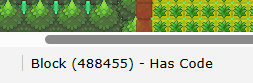
Has code’ label
Within mapbuilder, if you hover over an object, bottom left will let you know if that object has code in it. Useful if you ever put code in an object like a solid and return and can’t find where it was.
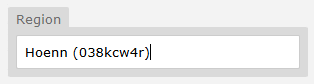
Sharing Trainer Battle data
By setting a ‘Region’ on a trainer battle, anyone with access to that Region can also view and edit according to their permissions.
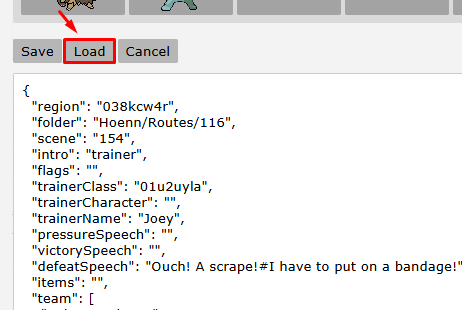
Trainer Battle copy/duplicate
You can easily copy a trainer battle along with their whole team and dialogue if you use the “Load” button. Create a new trainer and paste this into the “Load” input to duplicate and edit as you wish.
Filtering
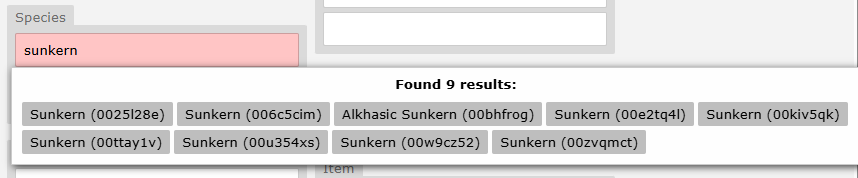
Use filters like region:nintendo, owner:1, or copyright:yes to narrow down results and find exactly the Pokémon you're looking for. Otherwise, a search like “Sunkern” might give you 10 different versions - and you’ll have no idea which one’s correct.
This works with Trainers, Items, Moves, everything, and search queries are the same as the main site - this can be very powerful!
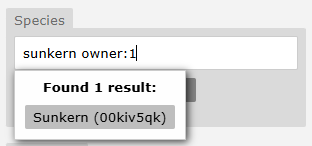
Tips
Pasting in the exact UID saves you hassle every time. This works for Pokémon, Trainers, Items, Moves, and more.
Night lights for Pokemon Center / Mart / Gym
Most people create a large overlay sprite for all the night lights in their town - windows, lamp posts, etc. However, it can be useful to exclude buildings that are reused a lot, like Pokémon Centers, Marts, and Gyms. Personally, I use a dedicated object placed on the Pokémon Center warp that includes its specific night lighting.
Template Maps
It is highly recommended to create a template version of frequently reused interiors, such as Pokémon Centers, Marts, etc. Include all functional elements in this template - solids, the healing machine, PC, music tracks, and even a few placeholder NPC objects (without code).
Once your template is ready, you can simply duplicate it to quickly build out new interiors. This approach saves a significant amount of time and ensures consistency across your maps.
Example from Johto below:

Seamless Zones
If you give multiple maps the same name, the engine will automatically suppress the display of the map name when transitioning between them. This is especially useful for developers building “open-world” style regions, where several maps are stitched together to feel like one large, continuous area.